Stack & Break — 2D Physics Kit for Godot
Stack & Break — stack, connect, bend, break
Drop a load onto a bridge and watch its joints give way. Bend a connected lattice. Send an impact through a stack of blocks. Stack & Break — 2D Physics Kit for Godot gives you three cinematic demos and the complete editable GDScript project behind them.
Editable source: USD $4.99 · Version 0.1.0 technical preview. Includes the physics addon, all demo source, and a 19-experiment lab for learning and small prototypes. Open the project in standard Godot 4.6.3 or 4.7.1, run it, then change the setup yourself. The paid editable source requires Godot. Play free in your browser above, or download the free Windows demo below. Neither demo requires Godot or a source purchase. Use Buy Now for the complete editable source.
The hook: play it, inspect it, make it yours
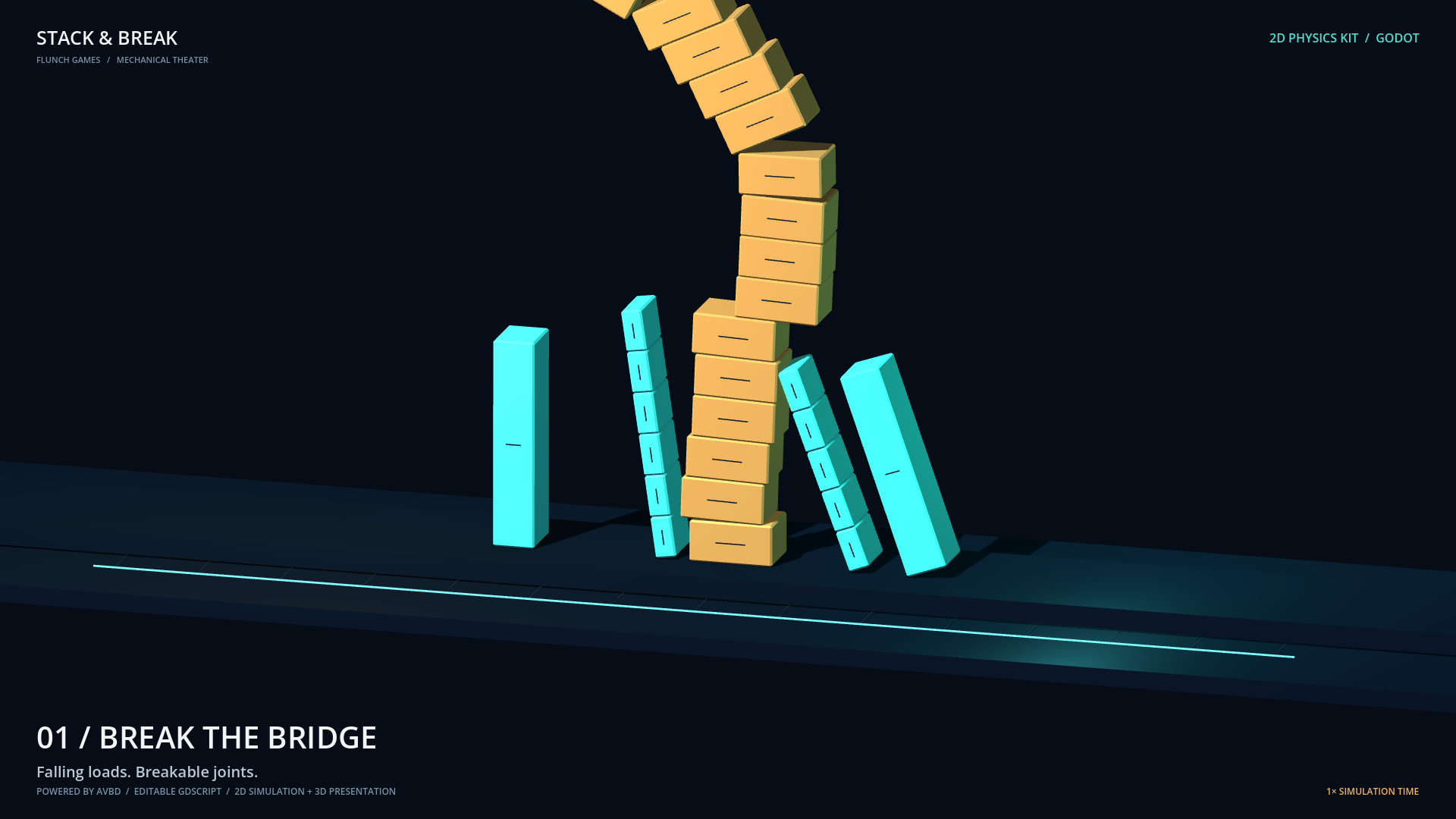
- Break the bridge: a falling load puts connected rectangle bodies under stress until joints break.
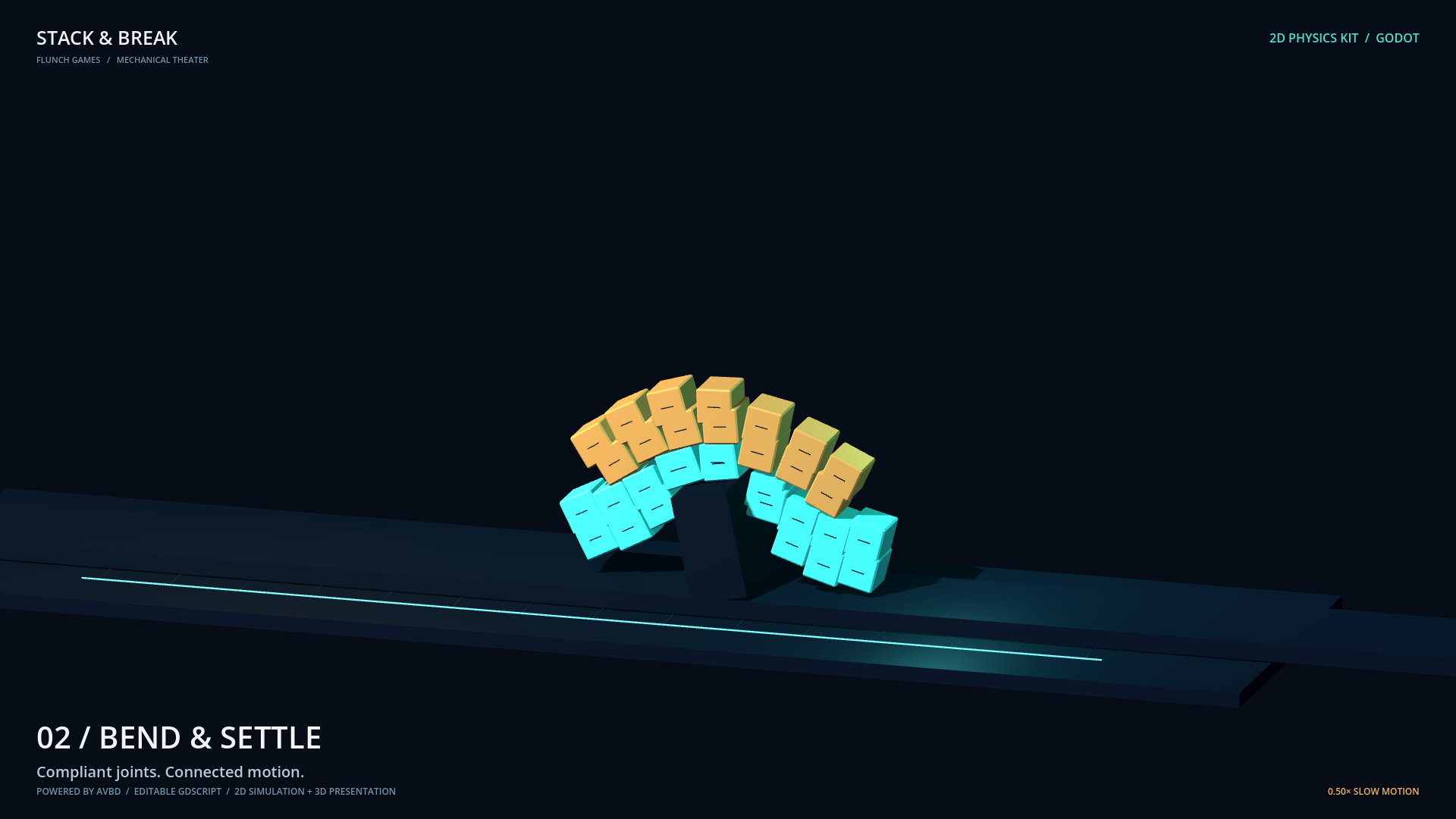
- Bend & settle: compliant rectangle lattices deform and settle under gravity.
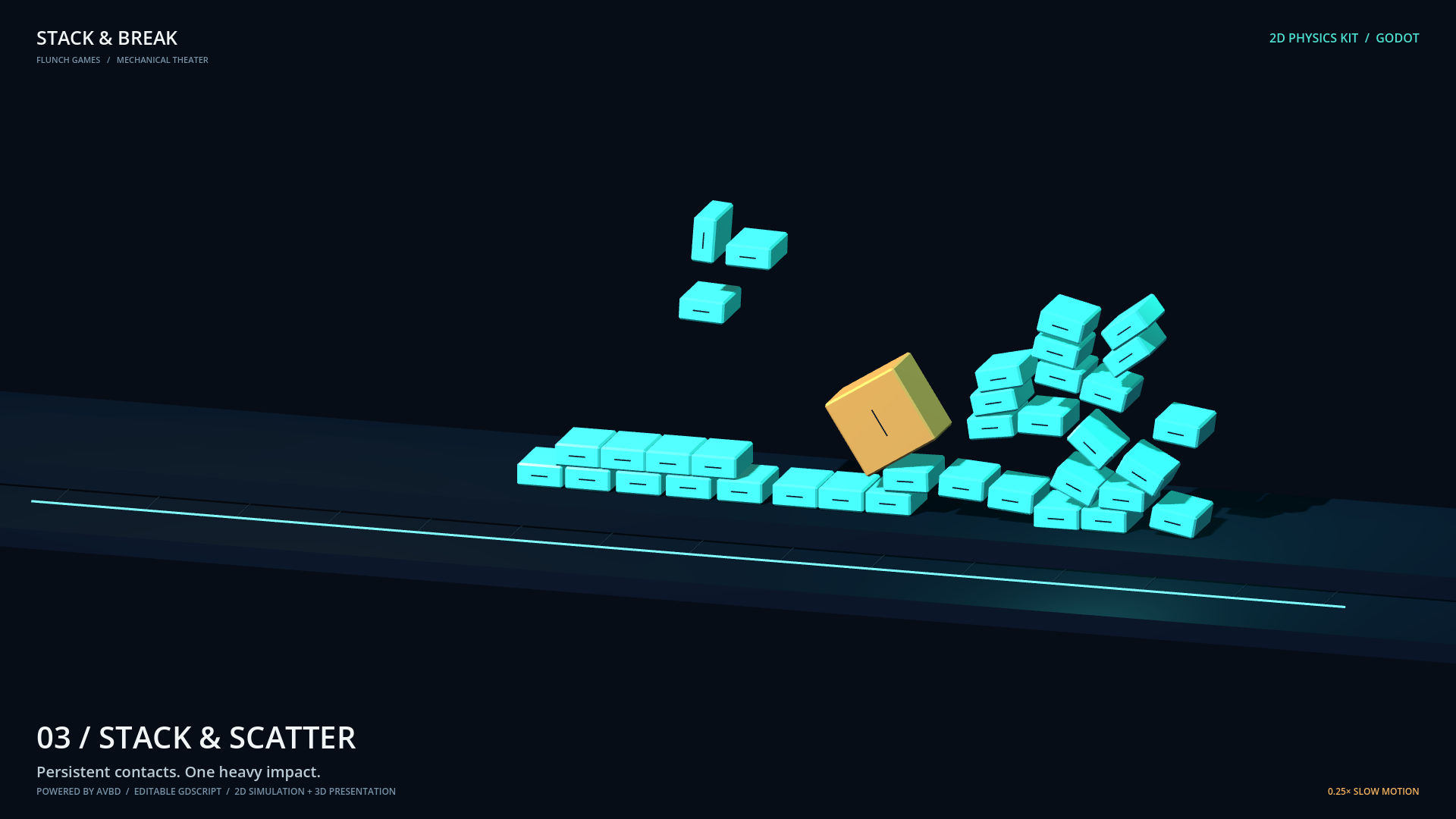
- Stack & scatter: a pile of blocks scatters after an impact.
The showcase adds cameras, lighting, and shallow 3D meshes to real 2D simulations. Every body still moves in a 2D plane. Bending comes from compliant joints between rectangles. The on-screen speed label identifies 0.25× or 0.5× slow motion; each demo has a Replay control.
Visual preview
Break the bridge
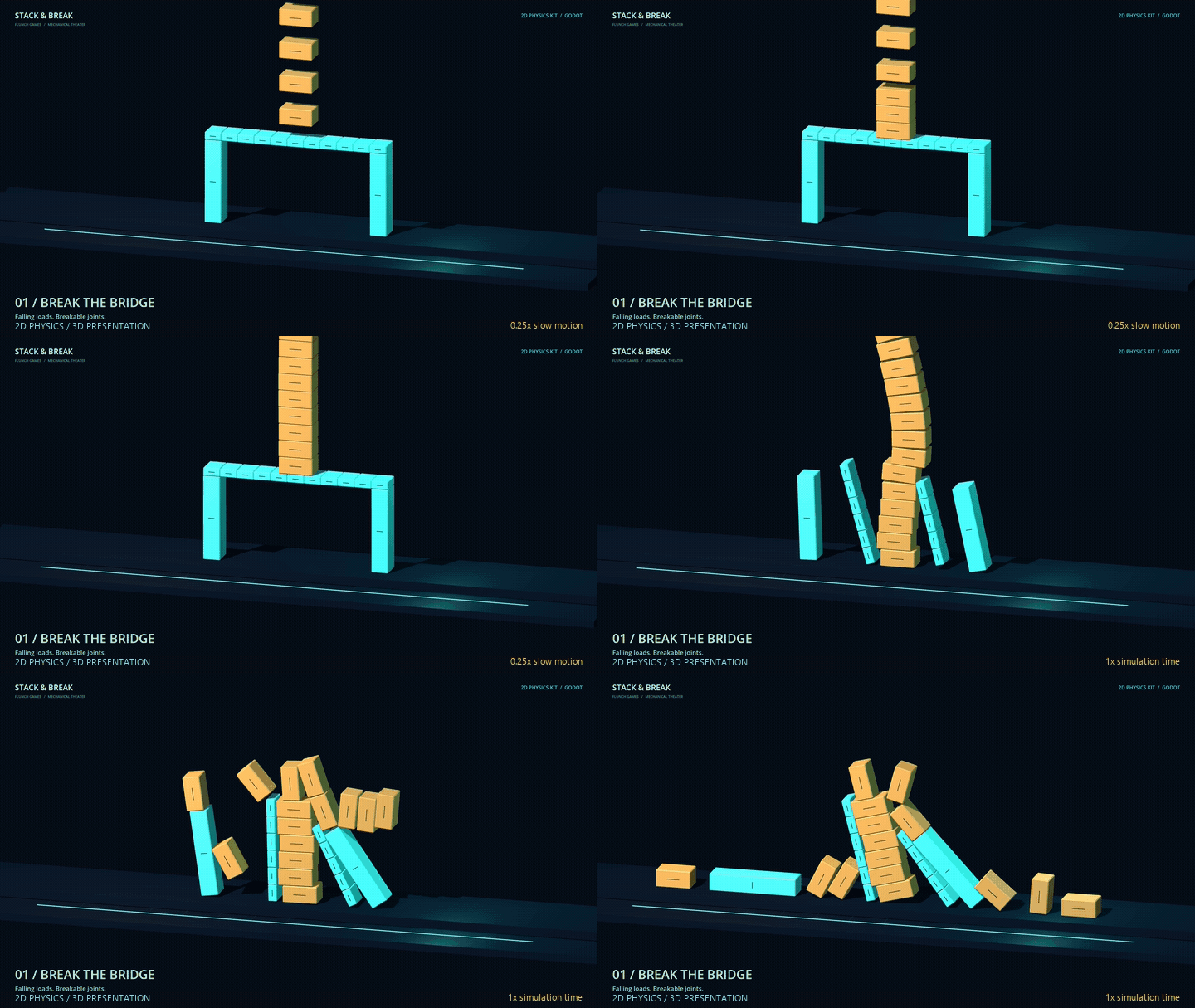
Connected blocks carry falling loads until angular joints fracture. 0.25x slow motion, then normal simulation time.
Bend & settle
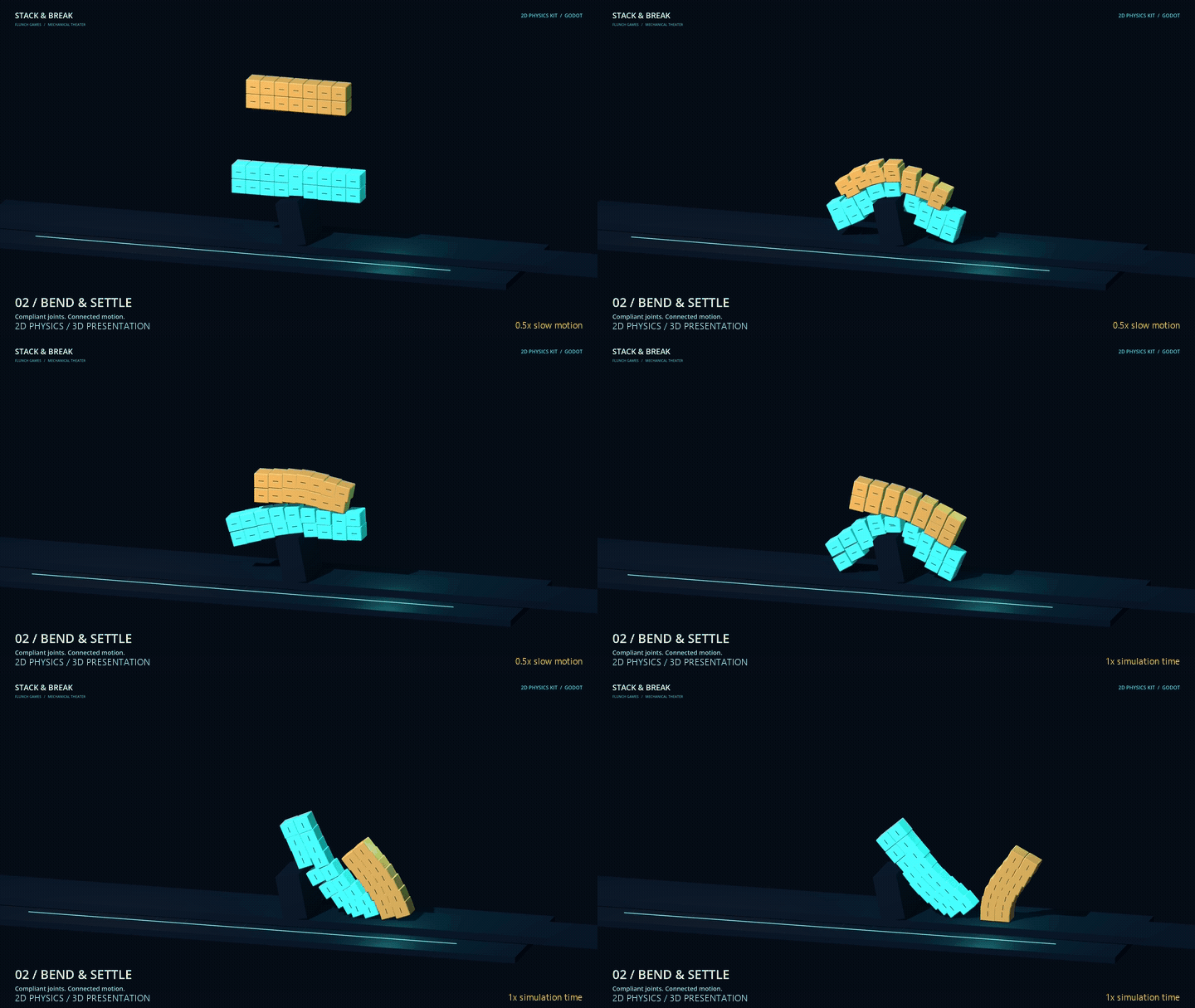
Compliant rectangle lattices bend around a narrow support. 0.5x slow motion, then normal simulation time.
Stack & scatter
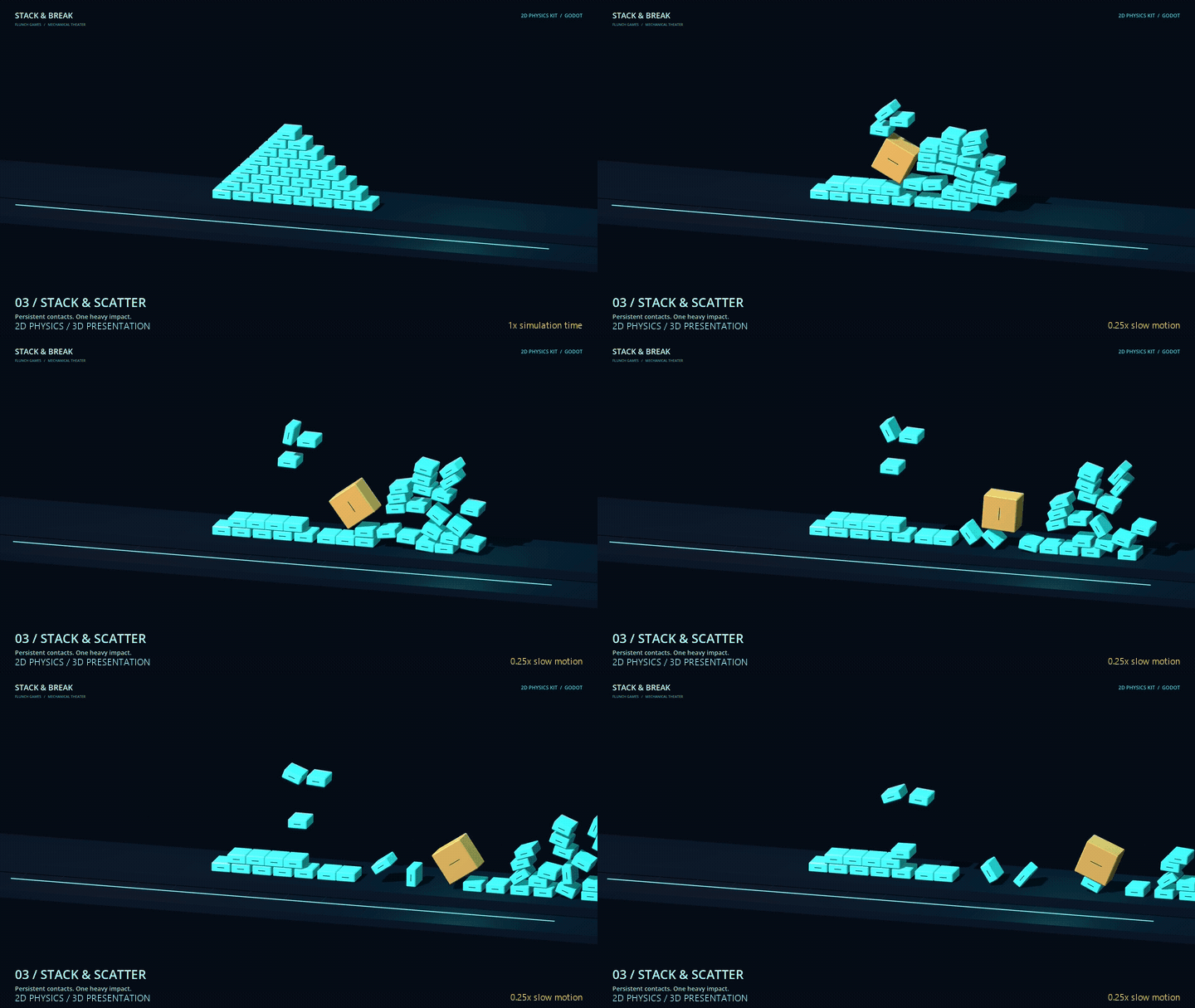
A heavy block scatters a settled pile. Normal simulation time into 0.25x slow motion.
Recorded from the included Godot showcase. The physics is 2D; the meshes, lighting and camera provide 3D presentation. GIFs restart at the end. These offline captures demonstrate behavior, not real-time performance.
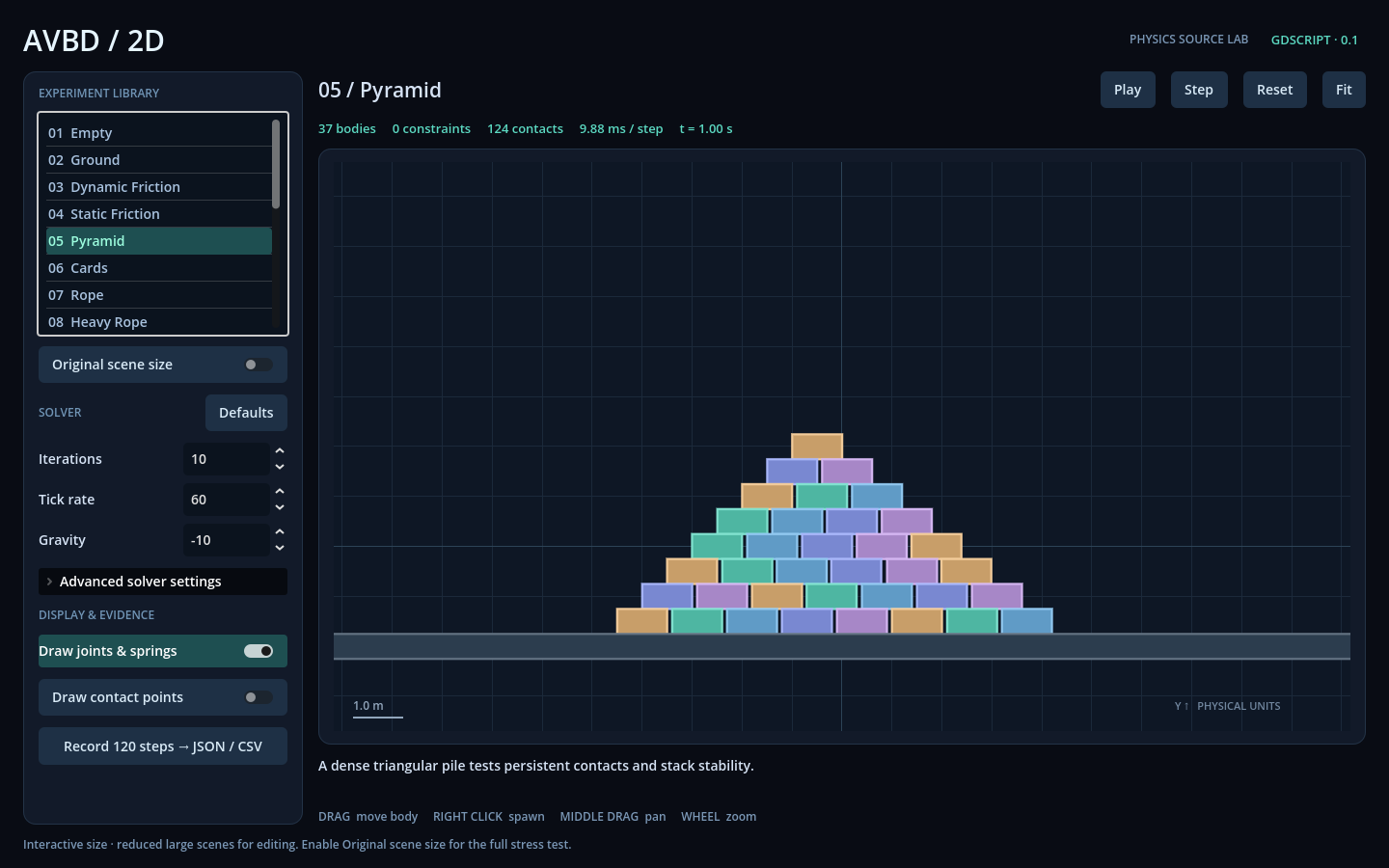
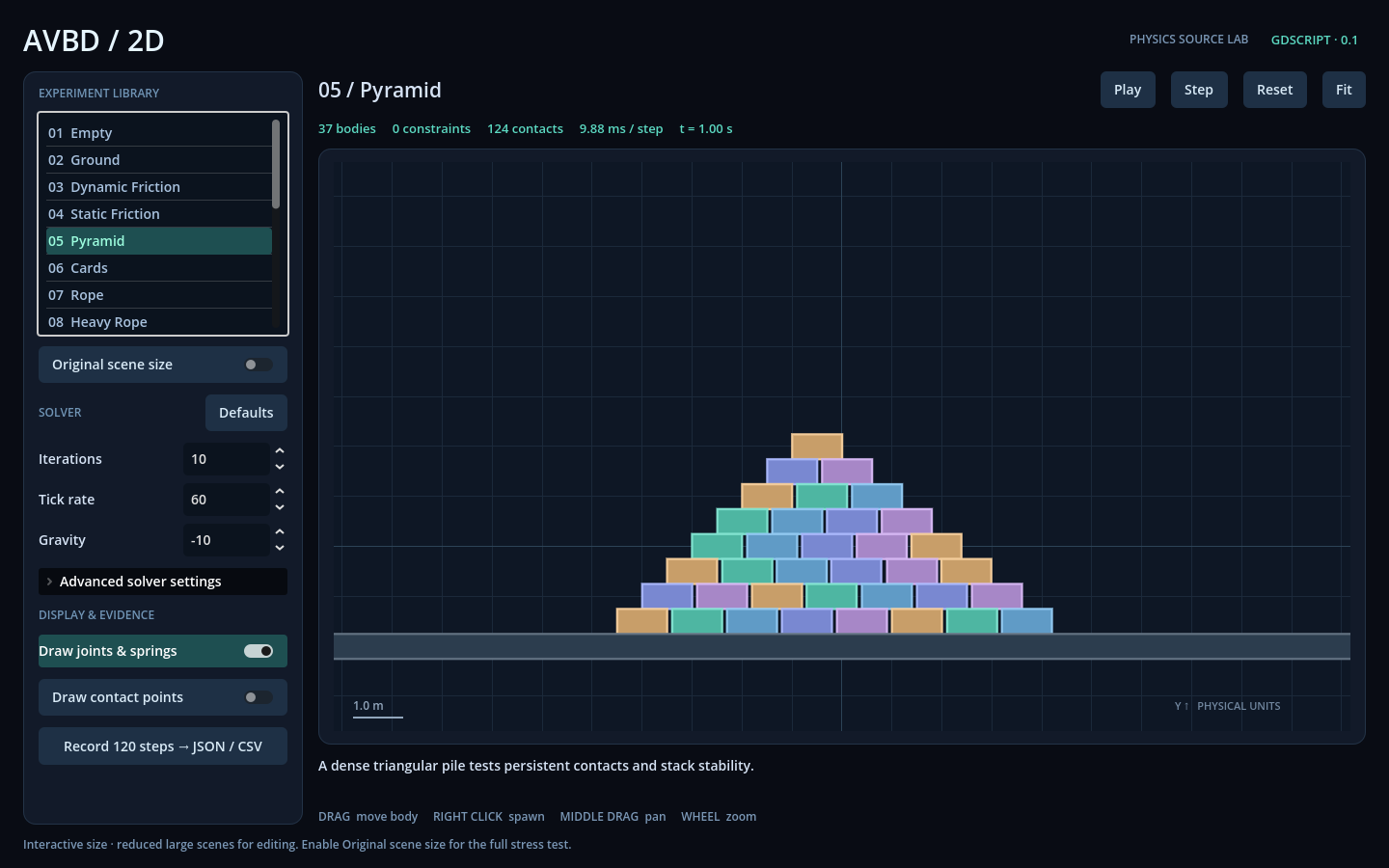
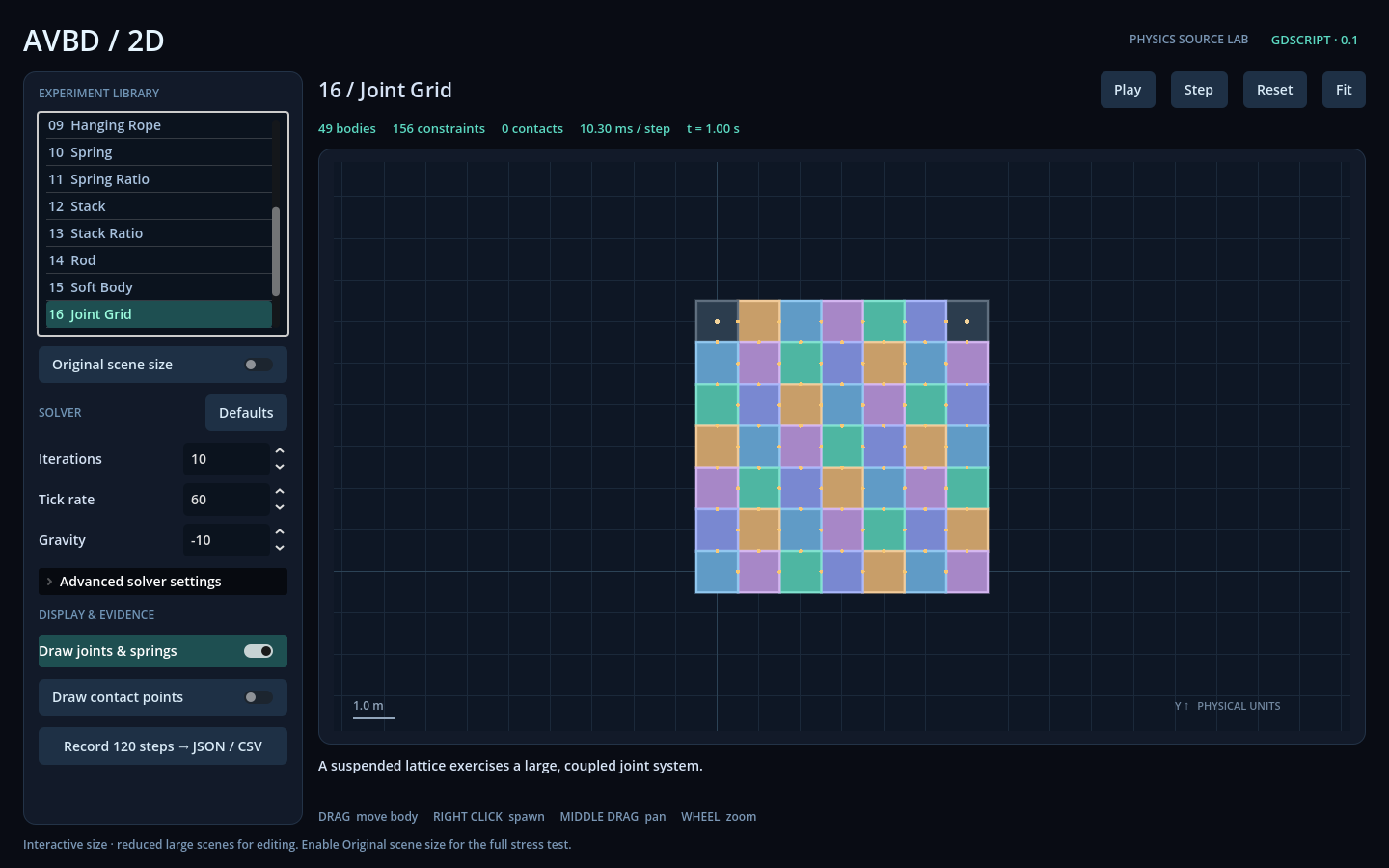
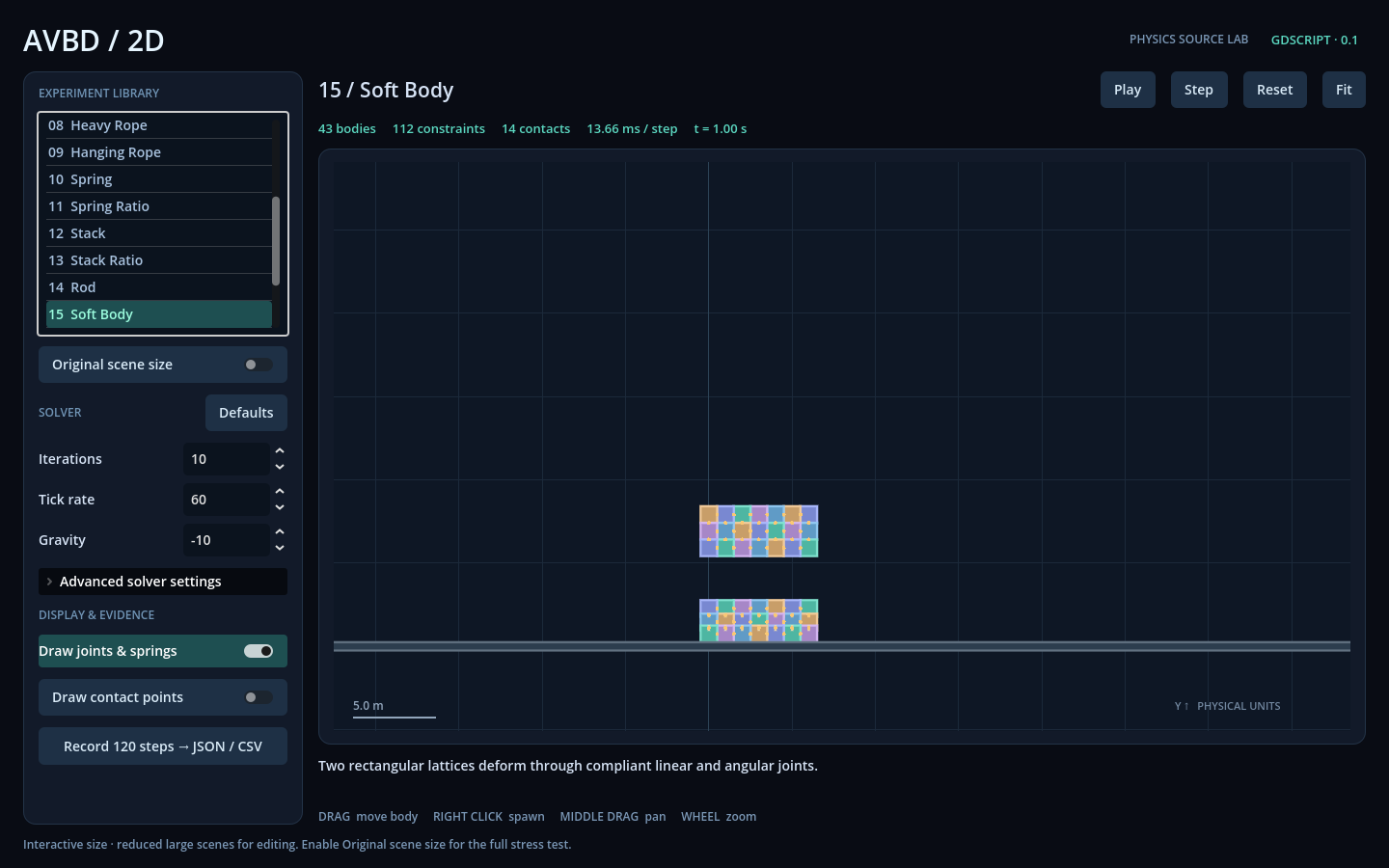
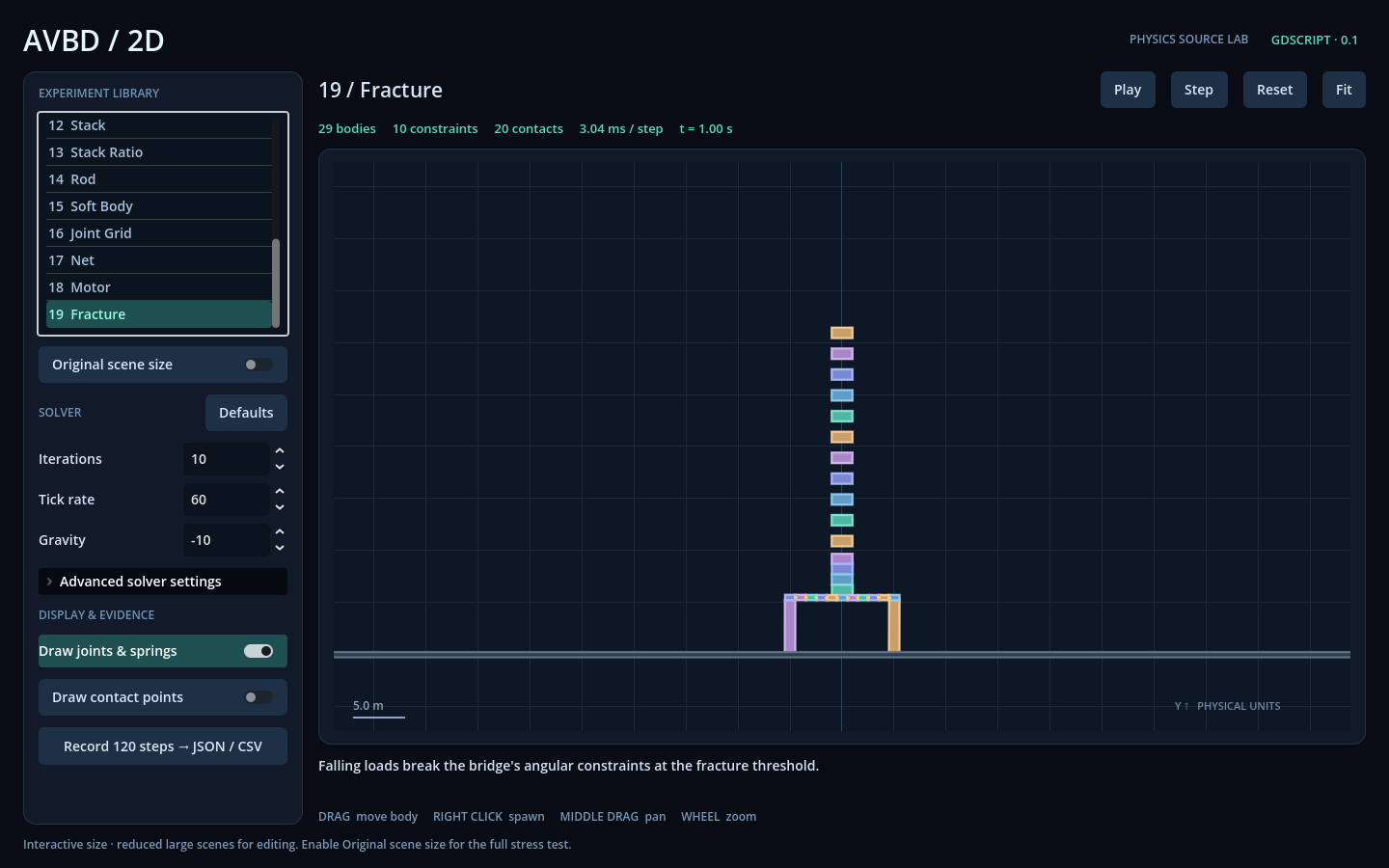
Inside the included physics lab: inspect a stack and adjust its solver settings. This is the lab interface, separate from the cinematic showcase.
Systems implemented
- Three cinematic demos with editable scene construction and presentation code.
- Independent 2D rectangle physics: friction contacts, joints, springs, motors, collision exclusions, and angular-constraint fracture.
- 19 lab experiments with original and reduced interactive sizes, editable solver settings, and pause, single-step, reset, and fit controls. The count includes Empty and Ground.
- Lab body dragging, box spawning and deletion, and viewport pan and zoom.
- 120-step JSON/CSV recording with completed, simulation-failed, and save-failed results, including successful samples, errors, and partial output paths.
Plug-and-play modules you can drop into other projects
Copy the complete addons/avbd_2d folder into your Godot project and start with the minimal node example. The folder path and API names stay stable under the Stack & Break name:
- AVBDWorld2D — owns the independent simulation and fixed-step interface.
- AVBDBody2D and AVBDConstraint2D — author rectangle bodies and constraints as Godot nodes.
- Editable solver source — use the MIT core directly for custom presentation, with the commercial node/editor integration supplied alongside it.
What you get (paid)
- The complete editable Godot project: all three cinematic demos, the experiment lab, physics addon, and minimal node example.
scenes/showcase.tscnandscripts/showcase.gdso you can inspect and modify the demos shown here.- English and Chinese buyer instructions, API documentation, optional installer and validation tools, and applicable licenses and notices.
- The delivered technical-preview version for study, modification, and licensed integration into your own products.
Controls
Showcase: press F5 in the source project, launch the Windows demo, or open the browser demo. Select 01 Break / 02 Bend / 03 Stack, use Replay or Pause, and return with Physics lab. Each demo plays once without automatic looping.
- Lab left drag: grab a dynamic body. Right click: spawn a box. Shift + left click: delete a dynamic body.
- Middle drag / wheel: pan / zoom.
- Pause / Step / Reset / Fit: control the simulation and view. Defaults: restore solver settings.
- Original scene size: select upstream counts. Record 120 steps: reset and sample to JSON/CSV in Godot's user-data folder, with paths shown by the lab.
Requirements
Godot 4.6.3 or 4.7.1, tested on Windows x86-64 using the Compatibility renderer. The free Godot 4.7.1 demos are tested on Windows x86-64 and Chrome on Windows. Linux, macOS, other browsers, mobile and consoles remain unverified. Standard Godot is sufficient: no .NET build, native extension, DLL, or compiler is required. Python 3.10+ is needed only for optional tools. The free Windows ZIP contains stack-and-break.exe; the browser demo runs at the top of this page.
Performance you can inspect
Open Performance in the showcase or lab for FPS, frame P50/P95, solver timing, requested and achieved simulation rates, body/contact counts and available render counters. Export JSON or CSV; Windows saves to the displayed user-data path and Web downloads through the browser. Run 12s Benchmark runs Stack at 1× speed. Its bounded statistics cover the latest 300 frames, up to 1,200 solver steps and a rolling 2-second active-rate window. Total wall and simulation durations are reported separately.
High adds shadows and 4× MSAA; Medium keeps shadows; Low disables both. These choices affect showcase rendering only. Unsupported counters show N/A. Solver budget fraction is not CPU utilization, and CPU/GPU timings may overlap.
Matching playable demos
The Windows and Web demos share one frozen Godot 4.7.1 source, entry point, three showcases, all 19 lab cases, solver settings and default High quality. The paired builds use the same simulation content and settings. Cross-platform checks use fixed position, angle and fracture-timing tolerances; identical FPS, pixels or network determinism are not promised.
RC4 update: fixed a lab rendering issue during long sessions, including bodies falling far outside the view. Source validation includes a 600-second simulated Rope regression on both supported Godot versions.
Powered by AVBD: scope and performance
The solver runs in single-threaded GDScript with an all-pairs broadphase. Large body counts can run below real time; the lab offers smaller interactive setups. There is no real-time FPS guarantee for large scenes, and slow-motion or fixed-simulation-time captures are presentation, not performance measurements.
Physics is limited to rectangles and the listed constraints in an independent 2D world. It does not couple to Godot's native physics bodies or provide 3D physics, arbitrary polygons, CCD, sleeping, GPU acceleration, or network determinism. Do not scale physics nodes or their parents; use the documented body dimensions and unit scale.
Support
Use this product page's comments for reproducible bugs in the delivered addon and examples on the tested versions and platform. Include the release ID, Godot version, OS, steps, and error text. Support is best effort, with no response-time guarantee, custom-project integration, or promise of lifetime updates or future engine compatibility. Keep purchased commercial source private when sharing reproducers.
Built with
Made with Godot Engine and GDScript. Powered by AVBD, adapted from Chris Giles' AVBD reference implementation, with Box2D-Lite collision provenance. Generative AI was used in developing code and documentation. Upstream authorship notices remain included.
License
MIT core + source-included commercial integration. The solver/collision core and upstream-derived experiment builder remain MIT. Original node/editor integration, gym presentation, and product documentation use the Flunch Games Source-Included Commercial License 1.0. The package is not wholly MIT or wholly open source.
Licensed buyers may modify the source, use it in multiple products for one purchaser/entity, collaborate privately, and ship required runtime code with their products. Standalone redistribution of commercial components is restricted. MIT rights and prior lawfully received MIT grants remain effective. No game-source publication or revenue share is required. Included license texts and component manifests define the exact scope and terms.
The free runtime packages include the Godot Engine MIT license and engine third-party notices under LICENSES. See Godot’s license guidance.
Purchase
In order to download this source project you must purchase it at or above the minimum price of $4.99 USD. You will get access to the following files:
Download demo
Leave a comment
Log in with itch.io to leave a comment.